计算机辅助谐振器设计(CARD)
Computer Aided Resonator Design(CARD,计算机辅助谐振器设计)将定量技术应用于纵向振动超声谐振器的设计。这些谐振器的复杂度为中低等,工作频率最高约为 100 kHz。
特点
CARD 特别适用于设计必须将应力降至最低的薄型谐振器(如外科切割/封合器械),尤其是当这些谐振器承受静载荷时。
|
||||||||||
|
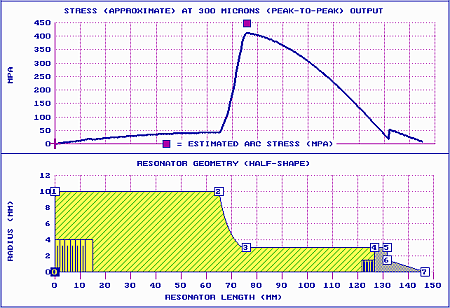
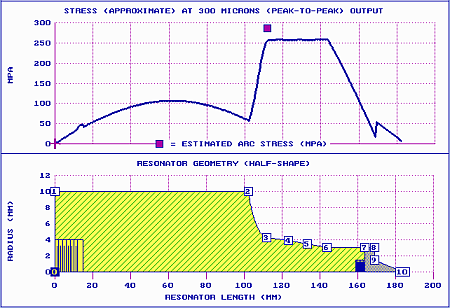
CARD 会自动调整指定的谐振器尺寸以进行调谐。CARD 还可以自动调整谐振器的增益。CARD 相对容易学习和使用。更多信息请参见用户手册。
注意 — CARD 只能在 Windows 7 或更高版本上运行。系统要求很低。
下载
- CARD 用户手册(10.19a,2018-12-15)
重要提示 — 下载后你可能会发现手册右侧的帮助面板为空白。若是如此,则必须解除阻止该文件 —
1. 如果用户手册已打开,请关闭。
2. 在 Windows 资源管理器中,右键单击用户手册文件。
3. 在弹出的上下文菜单中,单击"属性"。
4. 在弹出菜单的"常规"选项卡中,单击底部的"解除锁定"。然后单击"确定"。
本手册将于 2019 年第一季度进行大幅更新。 - CARD 完整版(含用户手册)(14.42,2017-09)
1. 界面和帮助目前正在修订中。请定期回来查看最新版本。
2. 独立的用户手册(见上)可能比 CARD 完整版中附带的手册更新。因此,你可能希望单独下载它。 然后在 CARD 安装完成后,将该用户手册复制到 CARD 安装文件夹中。只需记得解除对该文件的阻止(见上)。
Computer Aided Resonator Design (CARD)
Computer Aided Resonator Design (CARD) applies quantitative techniques to the design of ultrasonic resonators that vibrate longitudinally. These resonators would have low-to-moderate complexity for operation at frequencies up to about 100 kHz.
Features
CARD is especially useful for designing thin resonators where stress must be minimized (e.g., surgical cutting/sealing devices), especially when these resonators are subjected to static loads.
|
||||||||||
|
CARD automatically adjusts specified resonator dimensions in order to tune. CARD can also automatically adjust the resonator's gain. CARD is relatively easy to learn and use. See the User Manual for additional information.
Note — CARD runs only under Windows 7 or greater. System requirements are minimal.
Downloads
- CARD User Manual (10.19a, 2018-12-15)
Important — After downloading you may find that the manual's right help panel is blank. If so then you must unblock this file —
1. Close the User Manual if it is open.
2. In Windows Explorer, right click on the User Manual file.
3. In the resulting context menu, click on Properties.
4. In the General tab of the resulting menu, click Unblock at the bottom. Then OK.
This manual will be substantially updated during the first quarter of 2019. - Full CARD version (includin the user manual) (14.42, 2017-09)
1. The interface and help are currently being revised. Please check back periodically for the latest versions.
2. The stand-alone User Manual (above) may be newer than the one in the full CARD version. Therefore, you may wish to download it separately. Then after CARD has been installed you can copy that User Manual to the CARD installation folder. Just remember to unblock that file (see above).